
Your Cable Bill Just Hit $150 Again — Time to Do Something About It
The average American cable TV bill crossed $150/month in early 2026. That's $1,800 a year for 300 channels, most of which you've never watched. If you've been thinking about pulling the plug, you're not alone — CNET reports that over 50 million U.S. households have already cancelled their traditional cable subscriptions since 2020.
But here's the thing most cord cutting guides won't tell you: cancelling cable is easy. Replacing it without losing the stuff you actually care about? That's the hard part.
I've spent the last three years testing every major cable alternative on the market — from the big-name streaming bundles to IPTV services most people have never heard of. This isn't a rehashed press release. It's a practical, honest breakdown of what works, what doesn't, and what'll save you the most money when you cut cable TV in 2026.
What You Actually Need Before You Cancel Cable
Before you call your provider and sit through 45 minutes of retention offers, get these basics sorted:
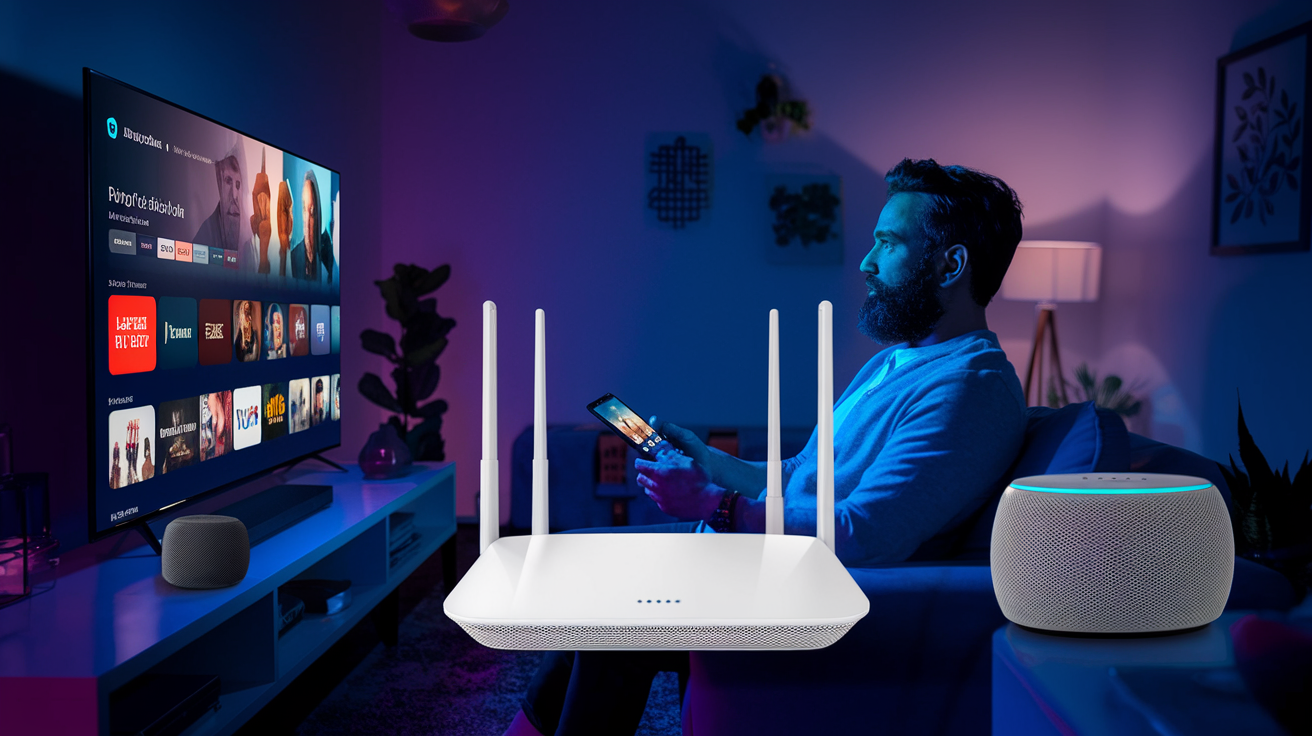
- Internet speed: You need at least 25 Mbps for reliable HD streaming. For 4K or multiple simultaneous streams, aim for 50-100 Mbps. Don't let your ISP upsell you on gigabit — it's overkill for streaming.
- A streaming device: Amazon Firestick 4K Max, Roku Ultra, or Apple TV 4K. Any of these will handle every service on this list. Firestick tends to be the most flexible for IPTV apps.
- An antenna (optional but smart): A $30 indoor antenna pulls in local channels for free in most metro areas. Free local news and NFL games? Yes please.
- A realistic channel list: Write down the 10-15 channels your household actually watches. Not what you might watch — what you watched last week. This list drives everything.
Got all that? Good. Let's rank your options.
The 7 Best Cable Alternatives in 2026, Ranked
I've organized these from most affordable to most expensive, because let's be real — saving money is the whole point of this exercise. Each option includes who it's best for, what it does well, and where it falls short.
| Service | Monthly Cost | Channels/Content | Best For |
|---|---|---|---|
| GetXtremeHD IPTV | $5.75–$15 | 20,000+ live channels | Full cable replacement |
| YouTube TV | $82.99 | 100+ live channels | Sports + DVR fans |
| Hulu + Live TV | $82.99 | 95+ live channels + Hulu library | Families wanting on-demand + live |
| Sling TV | $40–$55 | 30–50 channels | Budget-conscious light viewers |
| Fubo | $79.99 | 180+ channels | International sports fans |
| Free Antenna + Streaming Combo | $0–$20 | Locals + free apps | Minimalists |
| Philo | $28 | 70+ channels | Entertainment-only viewers |
1. GetXtremeHD IPTV — Best Overall Cable Replacement
I'll be upfront: this is our service, and I'm obviously biased. But I'm also listing it first because nothing else on this list gives you 20,000+ live channels, including international sports, premium movie networks, and PPV events, for as little as $5.75/month on the annual plan.
Pros:
- Massive channel library — US, UK, Canadian, and international options that no legal streaming bundle matches in scope
- Anti-Freeze™ technology reroutes your stream to a backup server in under 200 milliseconds if your primary feed hiccups. I've tested this during UFC main events with 100k+ concurrent viewers. It works.
- Works on Firestick, Android, iOS, Smart TVs, MAG boxes, and more — check our Firestick setup guide if that's your device
- Plans start at $69/year ($5.75/month effective) and go up to just $15/month for month-to-month
- 24/7 WhatsApp support that actually responds within minutes
Cons:
- IPTV services operate in a legal gray area depending on your country — do your own research on local regulations
- Requires a stable internet connection (but what streaming service doesn't?)
- No cloud DVR built in — you'll need a third-party app for recording
Best for: Anyone who wants the closest thing to a full cable package without the full cable price. Especially strong for sports fans and international viewers.
Ready to try GetXtremeHD? Get a free 24-hour trial — no credit card, full access to 20,000+ channels.
Start Free Trial →2. YouTube TV — Best for Sports and DVR
YouTube TV has become the default recommendation in most cord cutting guides, and honestly, it deserves that spot for a specific type of viewer. If you're a sports junkie who needs ESPN, Fox Sports, NFL Network, and local RSNs, this is the safest bet among legal live TV services.
Pros:
- Unlimited cloud DVR with 9-month storage — record everything, watch whenever
- Excellent interface across all devices
- Carries most local channels and regional sports networks
- Up to 6 accounts per household with 3 simultaneous streams
Cons:
- $82.99/month is brutal — that's basically cable pricing without the equipment rental
- Price has increased five times since launch
- No A&E, History, or Lifetime (Hulu has those)
Best for: Households that watch a lot of live sports and want a polished, cable-like experience. Be prepared to pay for it.
3. Sling TV — Best Budget Legal Option
Sling's been around since 2015, and while it's never been the flashiest service, it's consistently the cheapest way to get live TV through a traditional streaming provider. The Orange plan ($40) gives you ESPN and Disney. The Blue plan ($40) gives you Fox and NBC. Combine them for $55.
Pros:
- Most affordable mainstream live TV option
- À la carte add-on packages let you customize (sports extra, comedy extra, etc.)
- Free tier available with limited on-demand content
Cons:
- No local channels included — you'll need that antenna
- DVR limited to 50 hours on the base plan
- Interface feels dated compared to competitors
- Only 1 stream on Orange, 3 on Blue
Best for: People who want ESPN or a handful of cable channels without spending $80+/month. Pair it with an antenna for locals.
4. Hulu + Live TV, Fubo, and Philo — The Rest of the Field
I'm grouping these three because they each serve a distinct niche, and one of them might be perfect depending on your viewing habits.
Hulu + Live TV ($82.99/month)
You get 95+ live channels plus the entire Hulu on-demand library, Disney+, and ESPN+. That's a ton of content. The downside? It's also a ton of money, and the interface keeps pushing Hulu originals when you just want to watch live TV. Best for families who want one subscription to cover everything.
Fubo ($79.99/month)
Fubo started as a soccer streaming service and evolved into a full cable replacement with 180+ channels. It's particularly strong for international sports — La Liga, Serie A, Ligue 1 — and it's one of the few services offering 4K live sports. If you follow European football, this is your pick. The price stings, though.
Philo ($28/month)
No sports. No local news. Just 70+ entertainment channels like AMC, Comedy Central, Discovery, and Nickelodeon. Dead simple and very cheap. If you don't care about live sports and just want background TV, Philo punches above its weight. The DVR is unlimited too.
5. The Free Antenna + Streaming App Combo
Here's a setup I genuinely respect: a $30 OTA antenna for local channels, paired with free streaming apps like Tubi, Pluto TV, and The Roku Channel. Total monthly cost: $0.
You won't get ESPN or HBO. You won't get live Premier League matches. But you'll get local news, network primetime shows, and a surprisingly deep library of movies and classic TV shows. Over-the-air television delivers uncompressed 1080i or 720p, which actually looks better than most compressed cable feeds.
Best for: Minimalists, light viewers, and anyone who watches less than 2 hours of TV per day. Also a great base layer — add one paid service on top and you've got a solid setup for under $30/month.
How to Actually Cancel Cable Without Getting Burned
The cancellation call is designed to make you stay. Here's how to handle it:
- Check your contract. If you're in a promotional period, there may be an early termination fee. Know the number before you call.
- Return equipment on time. Cable companies love charging $200 for unreturned boxes. Get a receipt.
- Negotiate your internet-only rate. When you cancel TV, your internet price often jumps because you lose the "bundle discount." Push back. Ask for the new customer rate on internet-only. Threaten to switch ISPs if you have an alternative.
- Set up your replacement first. Don't cancel cable on Saturday afternoon and then scramble to figure out how to watch football. Get your streaming service installed and tested during the free 24-hour trial window or free trial period.
- Give it 30 days. The first week feels weird. By week four, you won't miss it.
If you're looking for other IPTV options to compare alongside GetXtremeHD, TVOnFly is a solid choice focused specifically on the USA market.
Frequently Asked Questions About Cutting Cable in 2026
Is it really worth it to cut cable TV in 2026?
For most households, absolutely. The average cable bill is $150/month. Even if you subscribe to two streaming services, you're likely spending $30-$80/month — saving $70-$120 every month. Over a year, that's $840-$1,440 back in your pocket. The only scenario where cable still makes sense is if you get a heavily subsidized bundle through your employer or building.
What's the cheapest way to replace cable in 2026?
An OTA antenna ($0/month) combined with an IPTV service like GetXtremeHD (as low as $5.75/month on the annual plan) gives you local channels plus thousands of live streams for under $6/month. That's the cheapest full-replacement option out there right now.
Can I still watch live sports without cable?
Yes, and you've got more options than ever. YouTube TV and Fubo carry most US sports networks. IPTV services typically include ESPN, Fox Sports, regional networks, and international sports channels. For specific leagues, it's worth checking whether a direct subscription (NFL Sunday Ticket on YouTube, NBA League Pass) makes more sense than a full live TV package.
Do I need a smart TV to cut cable?
Nope. A basic streaming stick like the Amazon Firestick 4K Max ($55) or Roku Streaming Stick 4K ($40) turns any TV with an HDMI port into a full streaming device. These little sticks run every app on this list and take about 5 minutes to set up.
What is IPTV and is it legal?
IPTV stands for Internet Protocol Television — it delivers live TV over your internet connection instead of through a cable or satellite signal. The technology itself is completely legal and is used by legitimate services like YouTube TV and Hulu. Third-party IPTV services that offer cable channels at lower prices exist in a legal gray area that varies by country. Always research your local laws before subscribing to any service.
Cutting cable in 2026 isn't risky anymore — it's the obvious move. Whether you go with a big-name service like YouTube TV or a high-value IPTV option, the math works out in your favor every single time. If you want to see what 20,000+ channels at $5.75/month looks like, check out GetXtremeHD plans and pick the option that fits your budget. Your future self — and your bank account — will thank you.