How to Set Up Xtreme HD IPTV on Firestick
Install the official GetXtremeHD App on your Amazon Firestick in under 5 minutes. This step-by-step guide walks you through the Downloader installation and login process.
What You Need Before Starting
- Amazon Firestick (any model: Lite, Standard, 4K, 4K Max, or Fire TV Cube)
- GetXtremeHD subscription or free trial credentials (sign up at getxtremehd.com)
- Internet connection (25+ Mbps recommended for 4K quality)
- The Downloader app (free from Amazon App Store)
Firestick Setup: Step-by-Step
Install the Downloader App
On your Fire Stick, go to the Search bar and search for "Downloader". Install the free Downloader app by AFTVnews. If you already have it, skip to step 2.
Tip: You also need to enable apps from unknown sources first. Go to Settings > My Fire TV > Developer Options > turn on Apps from Unknown Sources.
Download the GetXtremeHD App
Open Downloader and enter the following code in the URL bar:
Or enter the full URL: http://aftv.news/4341057
Tap Go and wait for the APK to download, then tap Install when prompted.
Open App & Add Playlist
Open the GetXtremeHD app. You will see the main screen. Tap Add Playlist (the + button) to begin.
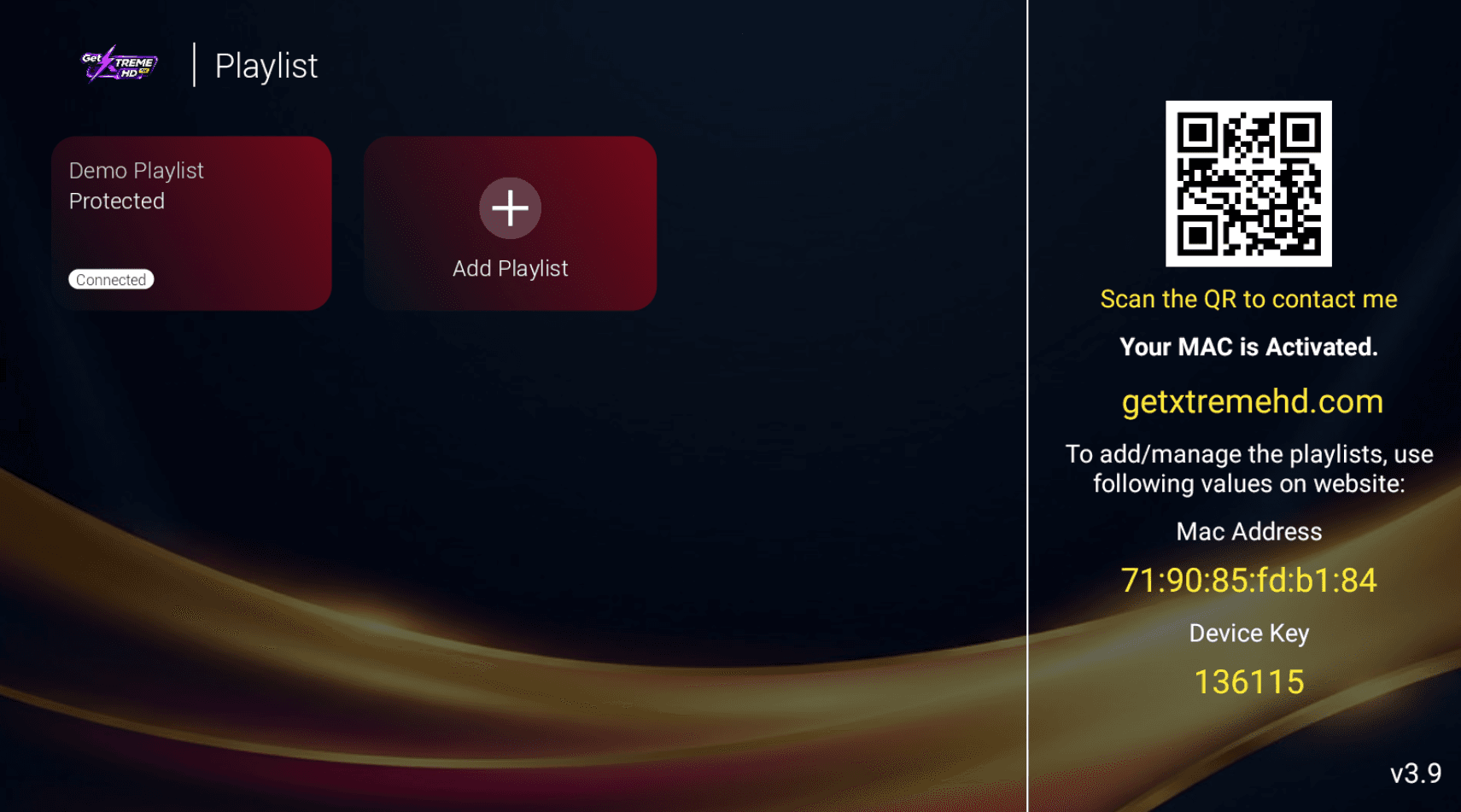
Tap "Add Playlist" or the + button to continue.
Sign In with Your Credentials
On the login screen, enter your Username and Password exactly as shown in your confirmation email.
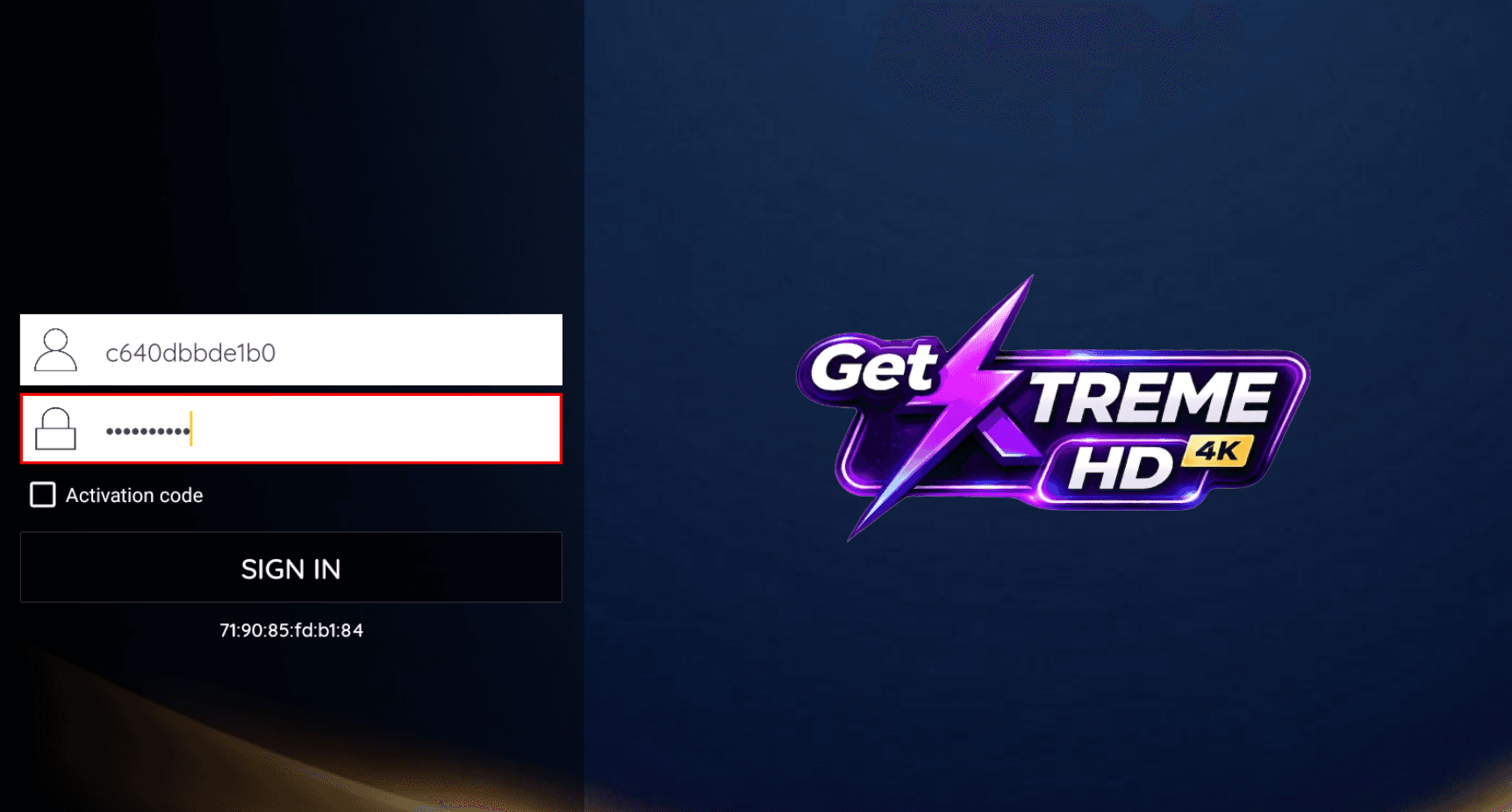
Enter username and password
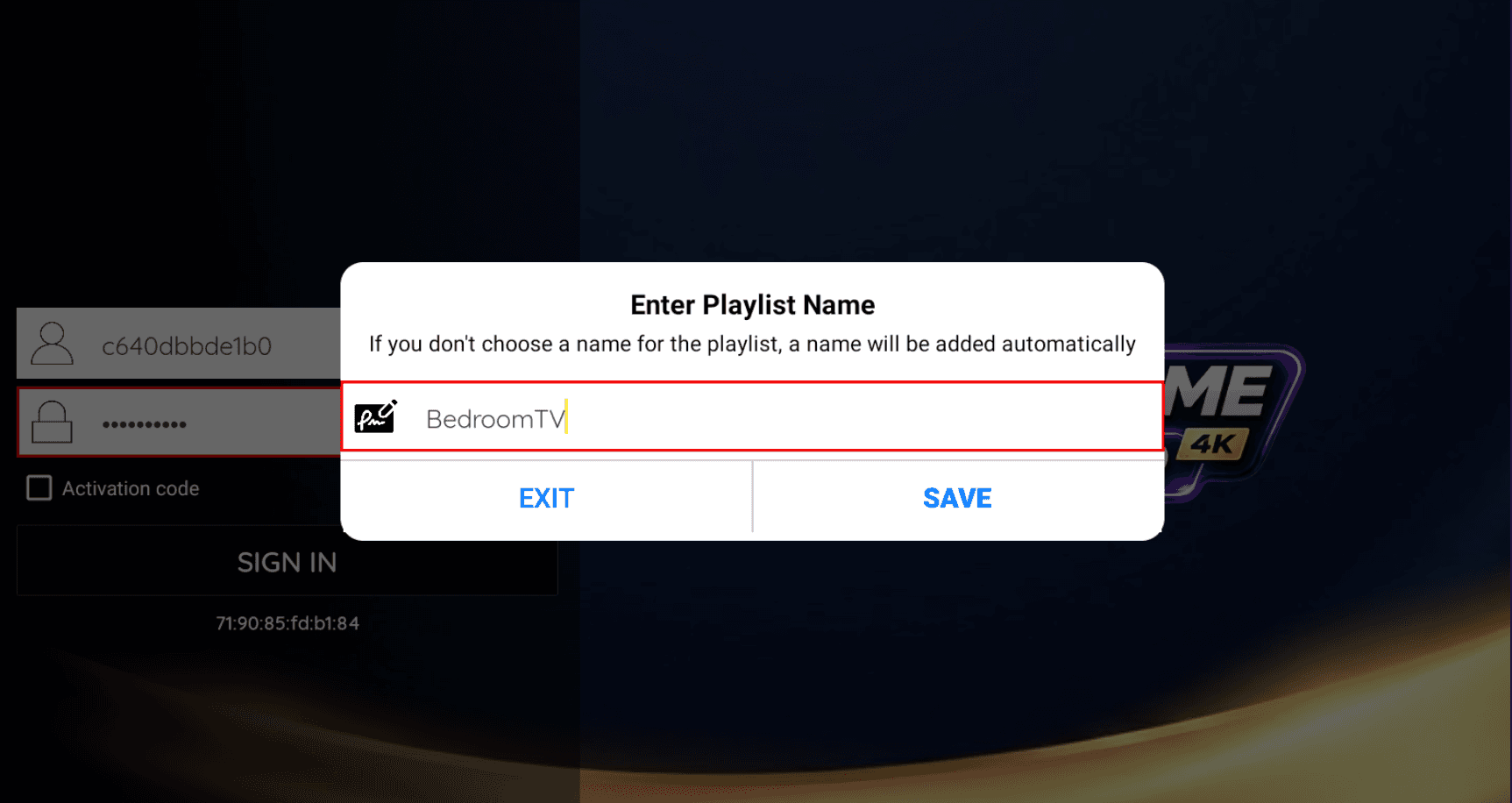
Give your playlist a name
Next, enter a name for your playlist. Anything you like, such as "Home TV". Tap Save or Sign In to continue.
Playlist Connected
Your playlist will show as Connected. Tap it to open the main menu.
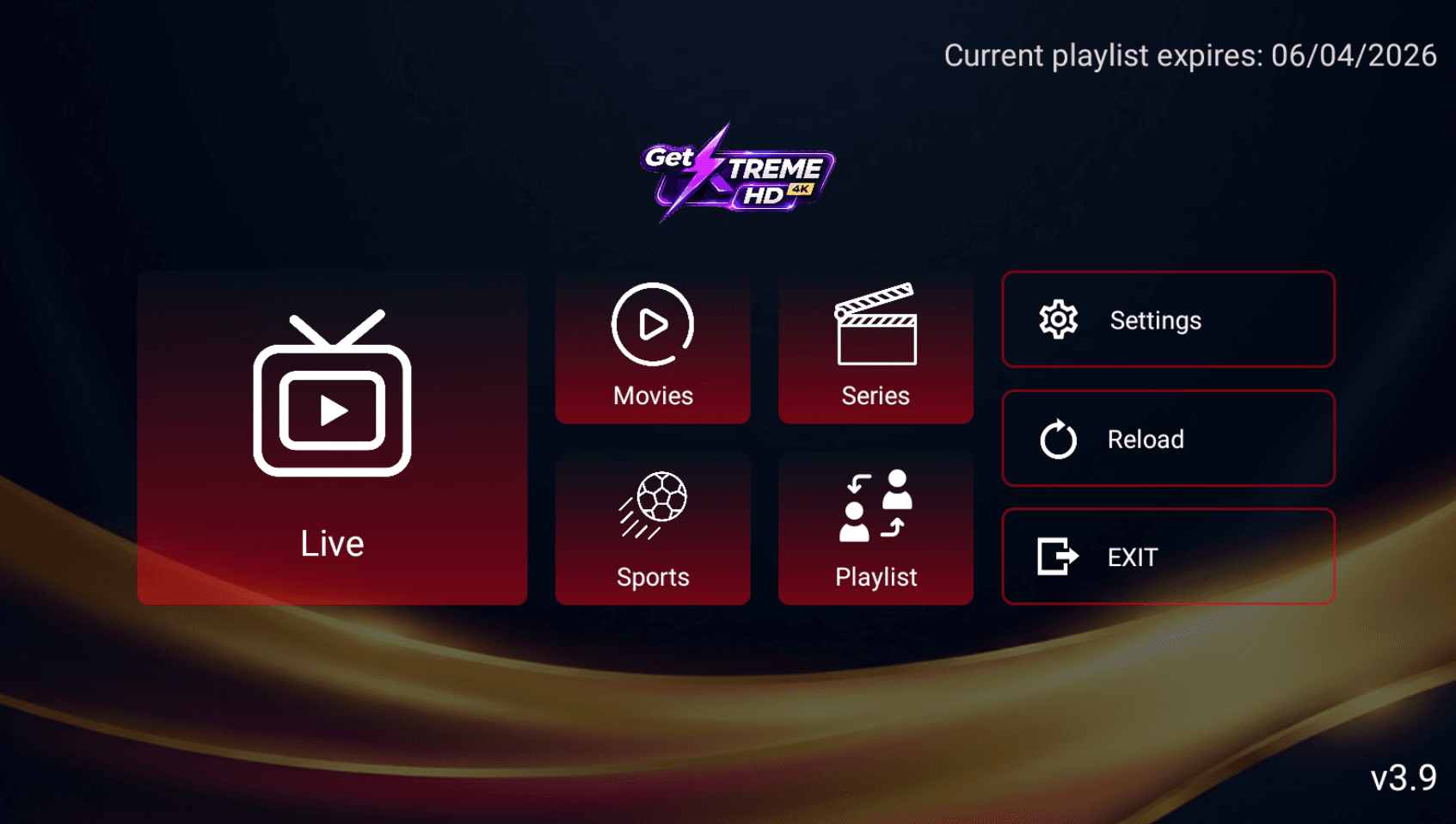
Start Watching
You now have access to Live TV, Movies, Series, and Sports. Browse any category and start streaming in 4K.
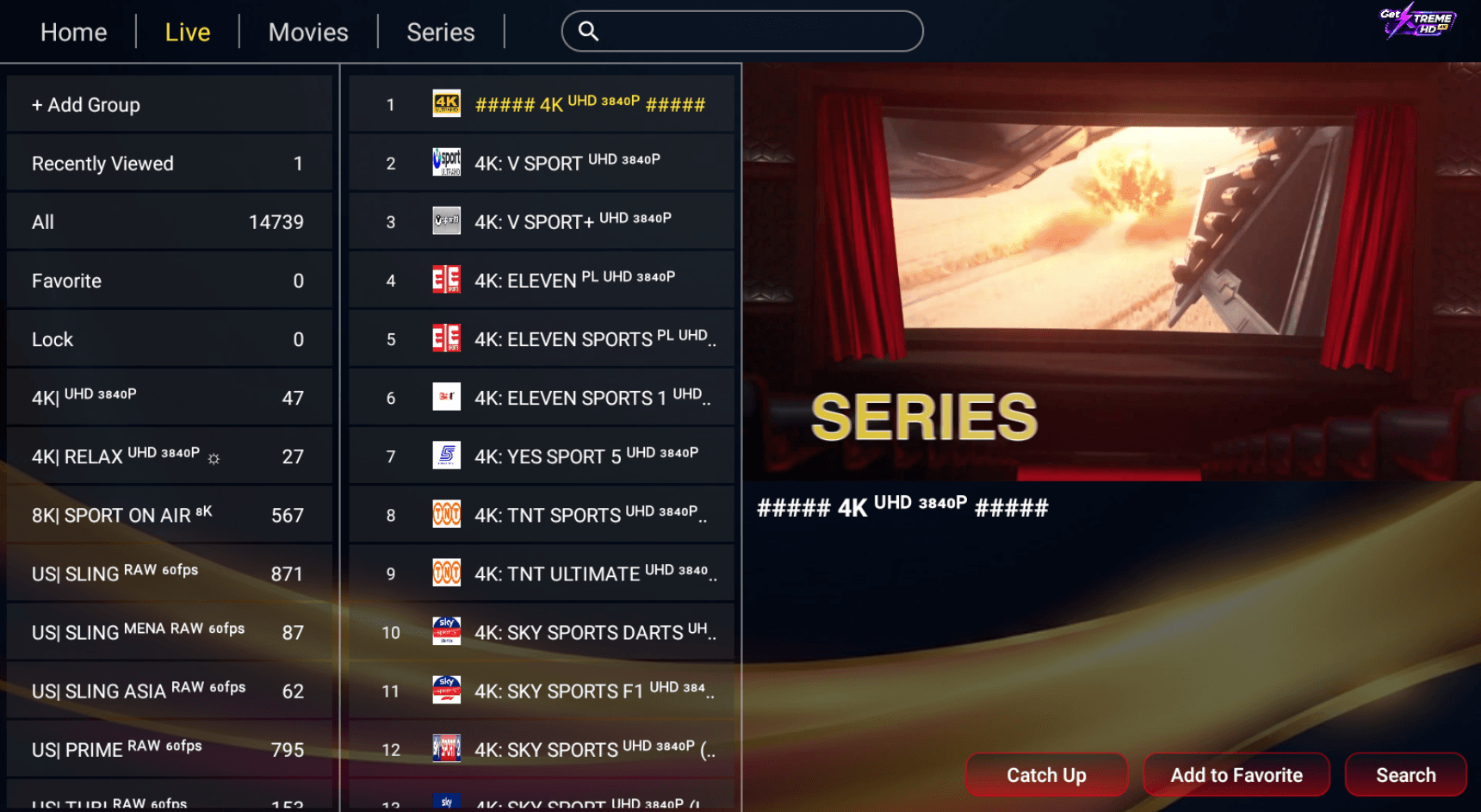
20,000+ live channels organized by category. 4K available.
Compatible Firestick Models
Fire TV Stick Lite
HD 1080p
Budget option, great for HD streaming
Fire TV Stick (3rd Gen)
Full HD 1080p
Most popular choice for Xtreme HD IPTV
Fire TV Stick 4K
Ultra HD 4K
Recommended for 4K streaming with GetXtremeHD
Fire TV Stick 4K Max
Ultra HD 4K + Wi-Fi 6
Best performance for live sports in 4K
Fire TV Cube
Ultra HD 4K
Premium option with hands-free Alexa
Fire TV (Smart TV)
Up to 4K
Built-in Fire TV works with GetXtremeHD
Firestick Setup FAQ
Does GetXtremeHD Xtreme HD IPTV work on Firestick?
Yes. GetXtremeHD works perfectly on all Amazon Firestick models. Setup takes under 5 minutes using the GetXtremeHD App, IPTV Smarters Pro, or TiviMate.
What IPTV app should I use on Firestick?
We recommend the official GetXtremeHD app using Downloader code 4341057. Alternatively, TiviMate or IPTV Smarters Pro are excellent with advanced features.
Can I get a free trial of Xtreme HD IPTV on Firestick?
Yes. GetXtremeHD offers a free 24-hour trial that works on Firestick. No credit card needed. Sign up at getxtremehd.com/free-trial.
Will Xtreme HD IPTV buffer on my Firestick?
No. GetXtremeHD's Anti-Freeze™ technology ensures zero buffering. We recommend 25+ Mbps internet for 4K quality.
Don't have trial credentials yet?
Request a 24-hour completely free pass to test official Xtreme HD IPTV streams on your Amazon Firestick device.