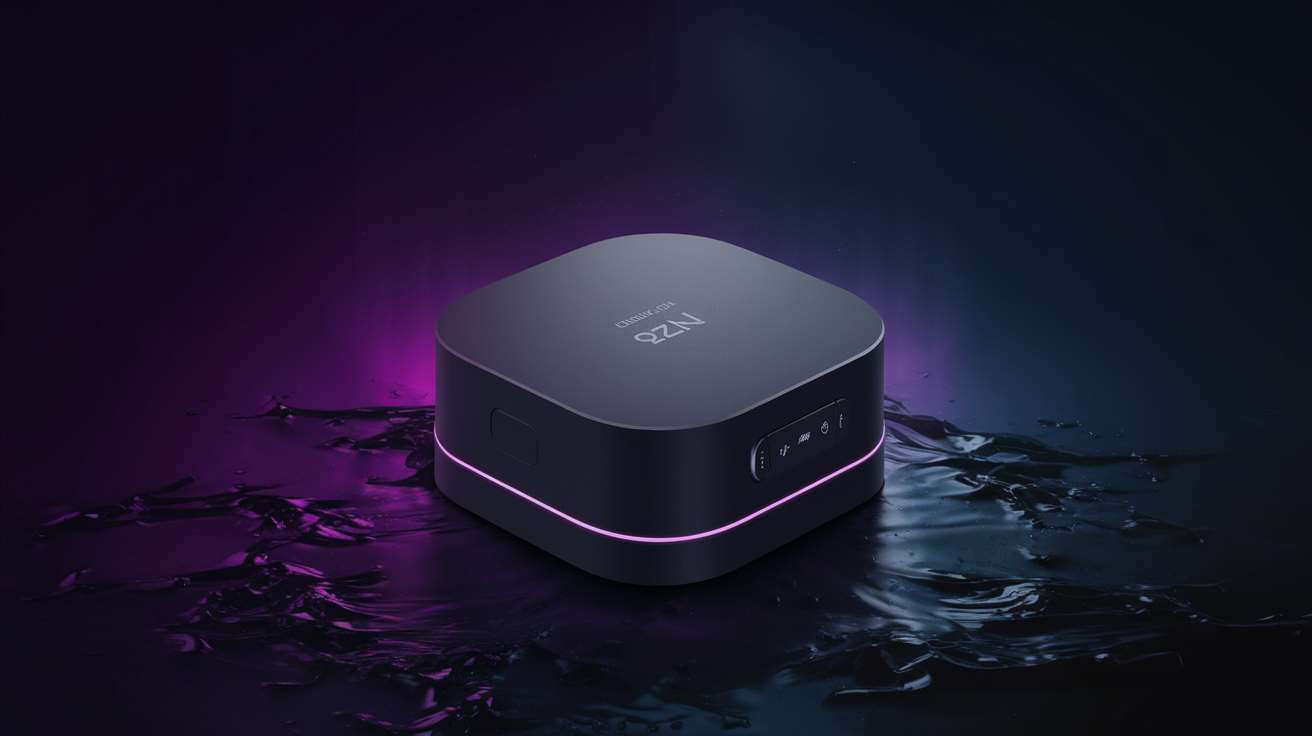
Quick Answer: You can watch World Cup 2026 without cable by using a streaming service or IPTV provider. In the US, FOX and FS1 hold the broadcast rights, and you can access them through YouTube TV ($72.99/mo), Fubo ($84.99/mo), or an IPTV service like Xtreme HD IPTV ($15/mo). The tournament runs from June 11 to July 19, 2026, across the USA, Canada, and Mexico, with 104 matches in total. The cheapest option by far is IPTV. Xtreme HD IPTV gives you every match on every broadcaster, worldwide, for a fraction of the price. You can even try it free for 24 hours with no credit card. Below, I'll walk you through every option, compare costs, and show you exactly how to set it up on a Firestick in under 10 minutes.
Why Cord Cutting for the 2026 FIFA World Cup Makes Total Sense
Cable TV in 2025 averages over $150 a month in the United States. That's roughly $1,800 a year just so you can watch a handful of channels you actually care about. For a tournament that lasts 39 days, paying $150+ per month for a cable bundle is honestly absurd.
The good news? There are more ways to watch FIFA 2026 online than ever before. Between free over-the-air broadcasts, mainstream streaming platforms, and IPTV services, you've got real choices at every price point.
I've personally been cable-free since 2019, and I haven't missed a single major sporting event. The key is knowing which service carries which channels, and picking the one that fits your budget. Let me break it all down for you.
Which Channels Are Broadcasting World Cup 2026?
Before you pick a streaming service, you need to know who actually has the rights to air the matches. This varies by country, and it matters because not every streaming platform carries every broadcaster.

United States
FOX and FS1 hold the English-language rights. Telemundo and Peacock have Spanish-language coverage. Since many matches will be played in US stadiums, expect wall-to-wall coverage on FOX. The good news: FOX is available free over the air with a basic digital TV antenna, which means you can catch a decent chunk of games for literally $0.
United Kingdom
The BBC and ITV traditionally split World Cup coverage in the UK, and both are free to watch via iPlayer and ITVX. If you're in the UK, you're honestly in the best position of anyone. Time zones will be the bigger challenge, with most matches kicking off between 6 PM and midnight BST.
Canada
TSN and CTV are expected to carry matches. TSN requires a paid subscription ($19.99/mo), while CTV offers some free coverage. For a complete World Cup 2026 streaming guide covering every country's broadcaster, that linked resource is worth bookmarking.
How Much Does It Cost to Watch World Cup 2026 Without Cable?
Here's where the math gets interesting. I've put together a real cost comparison so you can see what you'd actually pay during the tournament window (roughly 6 weeks from June 11 to July 19, 2026).
| Service | Monthly Price | 6-Week Cost | World Cup Channels | Total Channels |
|---|---|---|---|---|
| Cable TV (avg.) | $150+ | $225+ | FOX, FS1, Telemundo | 200-300 |
| YouTube TV | $72.99 | ~$110 | FOX, FS1, Telemundo | 100+ |
| Fubo | $84.99 | ~$127 | FOX, FS1, Telemundo | 180+ |
| Sling TV (Blue) | $45.99 | ~$69 | FOX, FS1 | 40+ |
| Peacock | $7.99 | ~$12 | Telemundo (Spanish only) | Limited |
| Xtreme HD IPTV | $15.00 | ~$22 | All of the above + international | 20,000+ |
The numbers speak for themselves. If you only care about English-language US coverage, a digital antenna plus Peacock for Spanish simulcasts could cost you under $15 total. But if you want every single match, multiple commentary options, pre-game shows, and zero blackouts, an IPTV service is the most cost-effective route by a wide margin.
Pro Tip: If you go with a mainstream service like YouTube TV or Fubo, set a calendar reminder to cancel before your second billing cycle. These services are great for short-term use, but they add up fast if you forget to cancel.
What Is IPTV and Why Is It the Best Option for World Cup 2026 Streaming?
IPTV stands for Internet Protocol Television. Instead of receiving TV signals through a cable line or satellite dish, you're streaming channels over the internet. Think of it like Netflix, but for live TV channels from around the world.
For the World Cup specifically, IPTV shines because you get access to broadcasters from every participating country. Want to watch a match with BBC commentary? Done. Prefer the FOX studio team? Switch over. Want the Mexican broadcast of El Tri's group stage matches? It's right there.
I've tested a lot of IPTV providers over the past few years, and they aren't all created equal. Buffering during live sports is the number one complaint people have, and honestly, it's a deal-breaker. Nobody wants their stream to freeze right as a goal goes in.
That's actually why I keep coming back to Xtreme HD IPTV. Their Anti-Freeze technology reroutes your connection to a backup server in under 200 milliseconds if your primary server hiccups. In practice, this means you don't notice any interruption. I tested it during Champions League matches earlier this year, and the stream held steady through the entire 90 minutes. The independent 30-day Xtreme HD IPTV review over at Geek Vibes Nation confirmed the same experience over a full month of daily use.
Ready to try GetXtremeHD? Get a free 24-hour trial — no credit card, full access to 20,000+ channels.
Start Free Trial →How to Set Up Xtreme HD IPTV on a Firestick (Step-by-Step)
The Amazon Firestick is the most popular device for IPTV, and for good reason. It's cheap (usually $29-$39), plugs directly into your TV's HDMI port, and runs apps smoothly. Here's exactly how to get Xtreme HD IPTV running on yours. If you want screenshots for each step, check out the full Firestick setup guide on our site.
- Allow apps from unknown sources. Go to Settings > My Fire TV > Developer Options. Toggle "Apps from Unknown Sources" to ON. On newer Firesticks, you may need to toggle it for a specific app like Silk Browser or Downloader.
- Install the Downloader app. Go to the Firestick home screen, select "Find" then "Search," and type "Downloader." Install it. It's free and it's the safest way to sideload apps.
- Open Downloader and enter the GetXtremeHD APK URL. When Downloader opens, it'll ask for a URL. Enter the APK download link provided in your GetXtremeHD welcome email. Tap "Go."
- Install the APK. Once the file downloads, your Firestick will prompt you to install it. Tap "Install" and wait about 30 seconds.
- Open the app and enter your credentials. Launch the Xtreme HD IPTV app. Enter the username and password from your subscription confirmation email. The channel list will load within a few seconds.
- Find the World Cup channels. Use the category menu to browse Sports channels, or use the search function to find FOX, FS1, BBC One, ITV, TSN, or any other broadcaster by name.
- Set your favorites. Long-press on any channel to add it to your Favorites list. I'd recommend doing this before the tournament starts so you can flip between matches quickly during the group stage when multiple games run simultaneously.
Pro Tip: Connect your Firestick via ethernet if possible. The Amazon Ethernet Adapter costs about $15 on Amazon's official listing and gives you a wired connection that's way more stable than Wi-Fi, especially when everyone in your house is online during a big match.
The whole process takes under 10 minutes. And if you hit any snags, GetXtremeHD offers live support via WhatsApp at +44 7786 404877. Real people, not bots.
How Does Xtreme HD IPTV Compare to Other IPTV Providers?
Not all IPTV services can handle the World Cup well. During major sporting events, cheap providers get hammered with traffic and the streams turn into a buffering mess. I've been burned before, and I don't want you to have the same experience during a knockout round match.
Here's what sets Xtreme HD apart from most of the competition:
- 20,000+ live channels covering 50+ countries, so you get every World Cup broadcaster, not just one.
- Anti-Freeze technology with sub-200ms server rerouting. This is genuinely rare among IPTV providers and it makes a huge difference for live sports.
- Works on practically everything: Firestick, Android TV, Smart TVs, phones, tablets, MAG boxes, and computers.
- 85,000+ VOD titles for when the World Cup isn't on.
- 24/7 WhatsApp support from actual humans who respond in minutes, not hours.
If you want to see how Xtreme HD stacks up in a broader comparison, the list of best IPTV USA 2026 providers over at Sophisticated Cloud ranks and reviews the top services side by side. Spoiler: Xtreme HD consistently places at or near the top for sports streaming reliability.
At $15 a month (or as low as $5.75/mo on the annual plan), it's hard to argue with the value. You can view pricing for all GetXtremeHD plans on the pricing page.
Can You Watch the World Cup 2026 for Free?
Yes, partially. Here's how:
- US: Grab a digital antenna. FOX broadcasts many matches over the air for free. You won't get FS1 games this way, but you'll catch a solid portion of the schedule.
- UK: BBC iPlayer and ITVX are both free (with a TV licence). You'll get every match at no additional cost.
- Canada: CTV will likely stream some matches for free on their website and app. TSN matches will require a subscription.
The catch? Free options give you limited coverage. During the group stage, there'll be days with four matches running, and free broadcasts won't cover all of them. If you're a casual viewer who only cares about your national team, free might be enough. If you want the full tournament experience, you'll need a paid solution.
Pro Tip: Xtreme HD IPTV's free 24-hour trial doesn't require a credit card. You could legitimately test it on the opening day of the tournament (June 11, 2026) to see if it's right for you before spending a penny.
World Cup 2026 Key Dates and Schedule You Need to Know
The 2026 FIFA World Cup is the biggest one ever. For the first time, 48 teams will compete across three host nations. Here are the dates that matter:
- Opening Match: June 11, 2026 (Mexico City, Estadio Azteca)
- Group Stage: June 11 to June 29, 2026
- Round of 32: July 1 to July 4, 2026
- Round of 16: July 5 to July 8, 2026
- Quarter-Finals: July 9 to July 12, 2026
- Semi-Finals: July 14 and July 15, 2026
- Final: July 19, 2026 (MetLife Stadium, New Jersey, USA)
That's 39 days and 104 matches. During the group stage, there'll be up to four matches per day. Planning ahead matters because overlapping kickoff times mean you might need to switch between channels quickly, or even watch two streams at once on different devices.
Frequently Asked Questions
Is it legal to watch the World Cup with IPTV?
IPTV technology itself is completely legal. The legality depends on how the provider sources its content. Xtreme HD IPTV operates as a subscription service, and as a subscriber you're accessing streams provided to you by your service. Laws vary by country, so check your local regulations if you're unsure.
What internet speed do I need to stream World Cup 2026?
For standard HD (1080p) streaming, you'll want at least 15 Mbps download speed. For 4K, aim for 25 Mbps or more. If multiple people in your household stream at the same time, multiply accordingly. A wired ethernet connection is always more reliable than Wi-Fi for live sports.
Can I watch World Cup 2026 on my phone?
Absolutely. Xtreme HD IPTV works on Android and iOS devices. FOX Sports, Peacock, and YouTube TV all have mobile apps too. You can watch matches on the go as long as you've got a solid data connection. 5G works great for this.
Will there be 4K World Cup coverage in 2026?
FIFA and FOX have both signaled that select matches (including the final) will air in 4K. Xtreme HD IPTV offers 4K and FHD channels where available from the source broadcaster. You'll need a 4K-capable device and a strong internet connection to take advantage of it.
How do I avoid buffering during World Cup matches?
Three things make the biggest difference: use a wired ethernet connection instead of Wi-Fi, close other apps and devices that are eating bandwidth, and choose a provider with strong infrastructure. Xtreme HD IPTV's Anti-Freeze technology handles the server-side reliability, but your home connection matters just as much.
Can I use a VPN with Xtreme HD IPTV?
Yes. Many users pair their IPTV service with a VPN for privacy. Just make sure your VPN is fast enough — a slow one will add latency and cause buffering. Look for VPNs with servers close to your physical location for the best performance.
What happens if I have problems during a match?
GetXtremeHD offers 24/7 support via WhatsApp. During my testing, responses came within 2 to 5 minutes. For a live sporting event, that kind of response time actually matters.
Is the GetXtremeHD free trial really free?
Yes. The 24-hour trial gives you full access to all 20,000+ channels with no credit card required. There's no auto-billing and nothing to cancel. You just sign up, test it, and decide.
Get Ready to Watch World Cup 2026 Without Cable
The 2026 FIFA World Cup is going to be the biggest sporting event of the decade. 48 teams, three countries, 104 matches across 39 days. You don't need a $150/month cable package to watch any of it.
Whether you go with a mainstream option like YouTube TV, grab a digital antenna for free FOX coverage, or take the IPTV route for full international access at $15 a month, there's a cord-cutting solution that fits your budget.
Personally, I think the best value for serious football fans is Xtreme HD IPTV. You get every broadcaster, every match, Anti-Freeze stability for live sports, and support that actually responds when you need help. The annual plan works out to $5.75 a month, which is less than a single beer at the stadium.
Check out GetXtremeHD subscription plans to pick the option that works for you, or start with the free 24-hour trial to see it for yourself before the tournament kicks off. No credit card, no commitment, just 20,000+ channels ready to go.